













































How AI and No-Code Tools Are Transforming Web Design?
Explore how AI and no-code tools are transforming web design by enabling faster, smarter, and more creative website development.

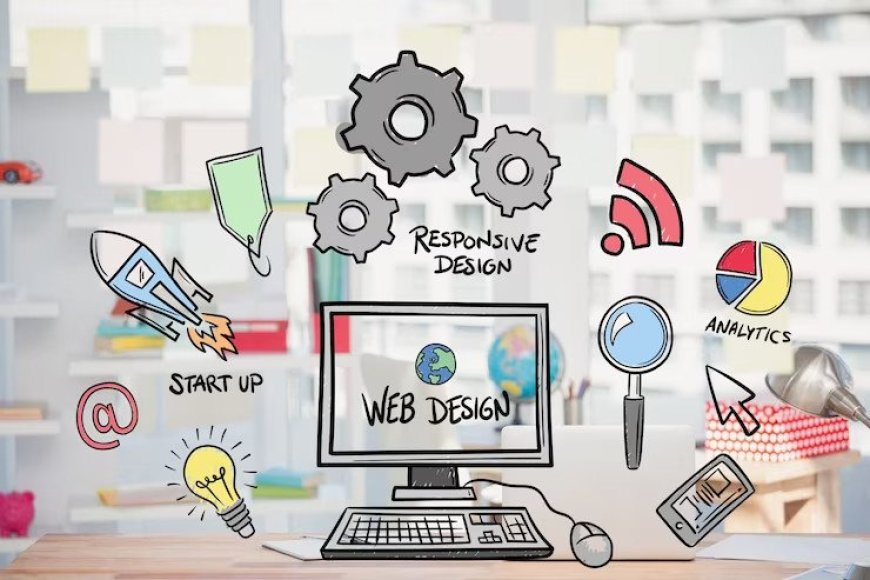
In todays fast-moving digital landscape, web design trends are shaping how users interact with online platforms and form impressions of brands. Every design choice affects user satisfaction, accessibility, and conversions. The rise of AI (Artificial Intelligence) and no-code tools is changing the web design world by making creation faster, more efficient, and accessible to more people. In this article, brought to you by the Best Web designing institute in Chandigarh, well explore five key trends, their benefits, challenges, and real-world examples.
1. AI-Powered Design Assistants
AI design assistants such as Wix ADI and Adobe Sensei generate layouts, select color schemes, and adjust typography automatically. These tools analyze your content and preferences to deliver custom designs.
Benefits:
-
Saves time and simplifies the design process.
-
Offers consistent and on-brand results.
-
Supports data-driven decisions.
Challenges:
-
May produce generic designs without human creativity.
-
Limited when high customization is needed.
Example: Wix ADI helps small businesses build a simple website by answering a few questions, generating a functional design in minutes.
2. No-Code Website Builders
No-code platforms like Webflow and Bubble enable users to build websites using drag-and-drop tools without coding.
Benefits:
-
Opens web design to non-developers.
-
Speeds up launch times.
-
Reduces dependency on large development teams.
Challenges:
-
Some tools create bloated code that affects site speed.
-
May not scale well for complex projects.
Example: Many startups use Webflow to create dynamic, responsive websites without needing a coding background.
3. AI-Enhanced Personalization
AI enables websites to adjust content, recommendations, and navigation based on user data.
Benefits:
-
Increases engagement and conversions.
-
Delivers a tailored experience for each user.
Challenges:
-
Requires strong data privacy practices.
-
Implementation can be complex.
Example: Online stores use AI to suggest products based on what users view and purchase.
4. Automated Accessibility Features
Tools like accessiBe use AI to help make websites accessible by adjusting contrast, enabling keyboard navigation, and supporting screen readers.
Benefits:
-
Helps meet legal accessibility requirements.
-
Broadens reach to include people with disabilities.
Challenges:
-
Automation doesnt cover all accessibility needs; manual checks are vital.
-
Risk of over-reliance on automated fixes.
Example: Educational institutions use accessiBe to enhance website accessibility without starting from scratch.
5. AI Content Generators
AI tools like Jasper or Copy.ai assist in creating website text, blog posts, and SEO meta tags.
Benefits:
-
Speeds up content writing.
-
Helps with SEO best practices.
-
Ensures consistent tone.
Challenges:
-
Needs human editing to ensure originality and quality.
-
Can produce generic content if not managed carefully.
Example: Many businesses use AI tools to draft content, then edit for authenticity and style.
Conclusion
AI and no-code tools are making web design more efficient and accessible, transforming how we build and manage websites. While these technologies offer speed and simplicity, thoughtful use and human creativity are still essential for creating standout sites. The Best Web designingencourages future designers to embrace these innovations while learning how to balance automation with unique design thinking.
FAQ
1. Can AI replace human web designers?
AI helps with basic tasks but cant match human creativity and strategy.
2. Are no-code sites good for SEO?
They can be, but manual SEO work is still important.
3. Is AI-generated content safe for SEO?
It should be reviewed to ensure originality and alignment with SEO goals.
4. Do no-code tools handle security?
Most offer security features, but following best practices is important.
5. Whats next for AI in web design?
AI will continue to assist with personalization and automation, but human input will guide design excellence.